STA Timetabler icon STA Timetabler

Your UWI timetable,
sorted.

An unofficial planner for UWI St. Augustine. Paste a CELCAT PDF or search the course portal to extract your schedule, spot clashes, and access it on all your devices.

CELCAT Extraction
Desktop & Mobile Sync
Free. No Ads.
< >
Week 2
Settings & Term Dates
>
MON
TUE
WED
THU
FRI
SAT
8 AM
9 AM
10 AM
11 AM
12 PM
1 PM
2 PM
3 PM
4 PM
5 PM
6 PM
BIOL 2165
FST 113
LECTURE
BIOL 1262
FST 113
LECTURE
BIOL 1362
FST 114
LECTURE
BIOL 1362
FST 114
LECTURE
BIOL 2265
FST 113
LECTURE
BIOL 1364
FST 113
LECTURE
BIOL 1364
FST 113
LECTURE
BIOL 2265
FST 113
LECTURE

Everything you need for a clean semester

Built around how UWI timetables actually work — PDFs, stream choices, clashes, and all.

UWI Portal / CELCAT

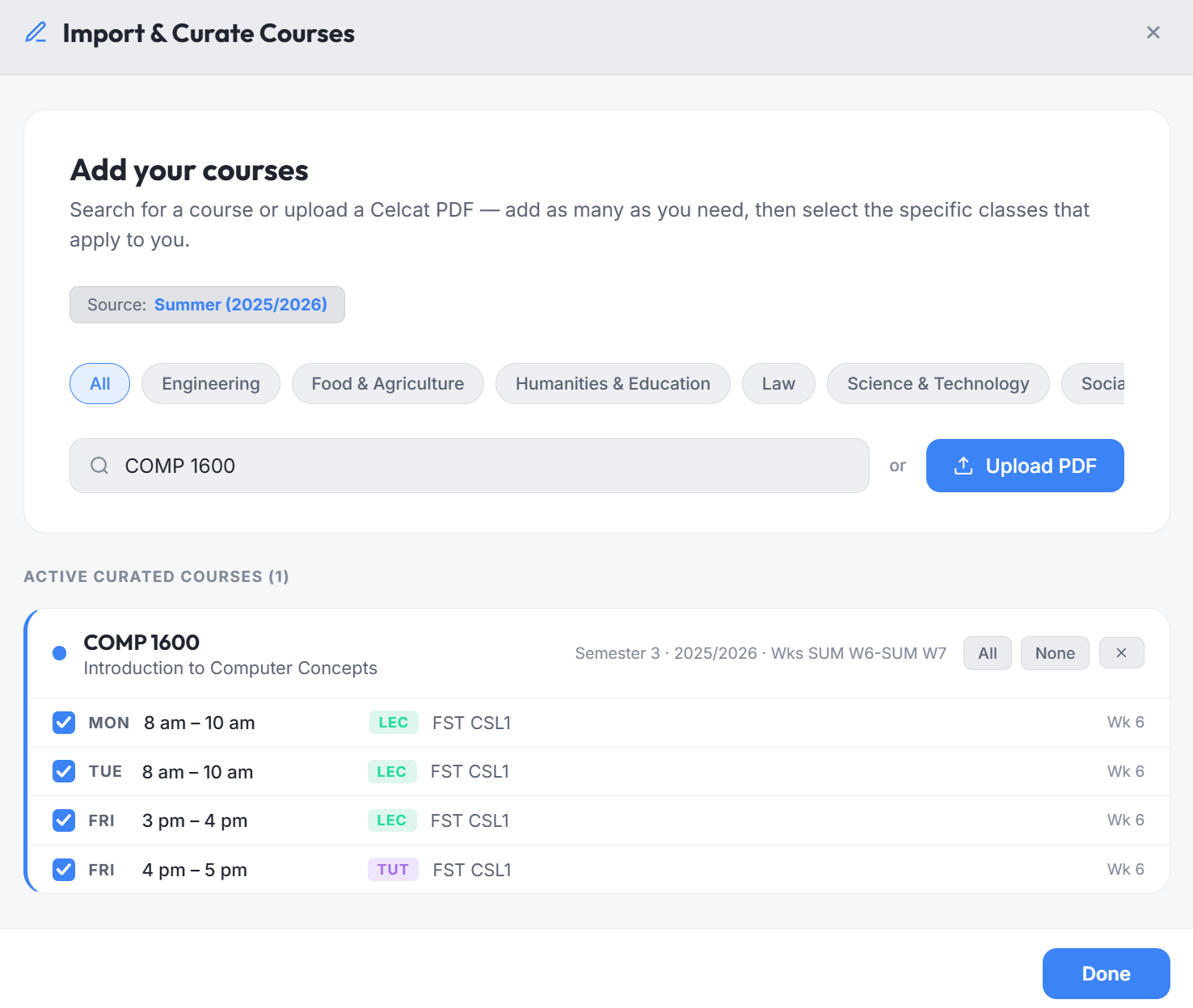
Import your UWI timetable in seconds

Search the official UWI St. Augustine timetable portal directly from the app, or upload a CELCAT PDF. Your classes, rooms, and teaching weeks are extracted automatically.

Search the UWI portal without leaving the app.
Reads standard UWI CELCAT timetable PDFs.
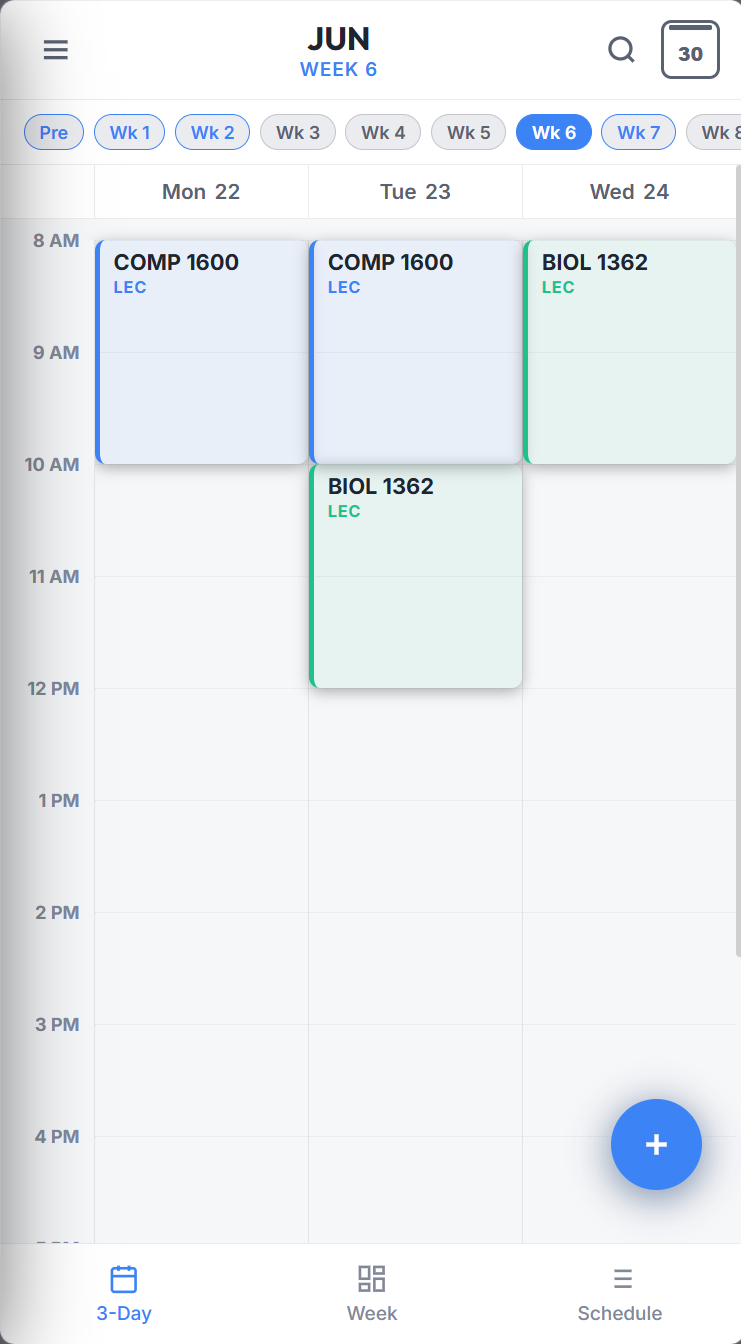
Weekly Agenda
Week 3
Monday
08:00
BIOL 2165
FST 113 · Lecture
LEC
10:00
BIOL 1262
FST 113 · Lecture
LEC
Tuesday
08:00
BIOL 1364
FST 113 · Tutorial
TUT
Clash Solver

Select streams and resolve conflicts

When a course has multiple tutorial or lab times, pick the stream that fits your schedule. The app automatically recalculates and warns you if classes overlap.

Interactive stream picker with instantaneous conflict checks.
Keep track of teaching weeks — know exactly when labs start.
BIOL 1362 Streams
Lecture Stream 1 Tue 08:00 AM - 10:00 AM
Lecture Stream 2 Wed 08:00 AM - 10:00 AM
Real-Time Validation

Spot clashing classes instantly

Never register for overlapping courses. If a lab stream overlaps with a lecture, the app highlights the conflict on the grid and warns you before you register.

Clashes flagged in real time as you choose streams.
Switch streams for any course without re-importing.
Calendar Sync

Take it to Google Calendar or Outlook.

Export your timetable as an .ics file and import it into Google Calendar, Apple Calendar, or Outlook. Your UWI classes sit alongside everything else in your day.

Standard .ics format — works with any calendar app.
Export the full semester in one click.

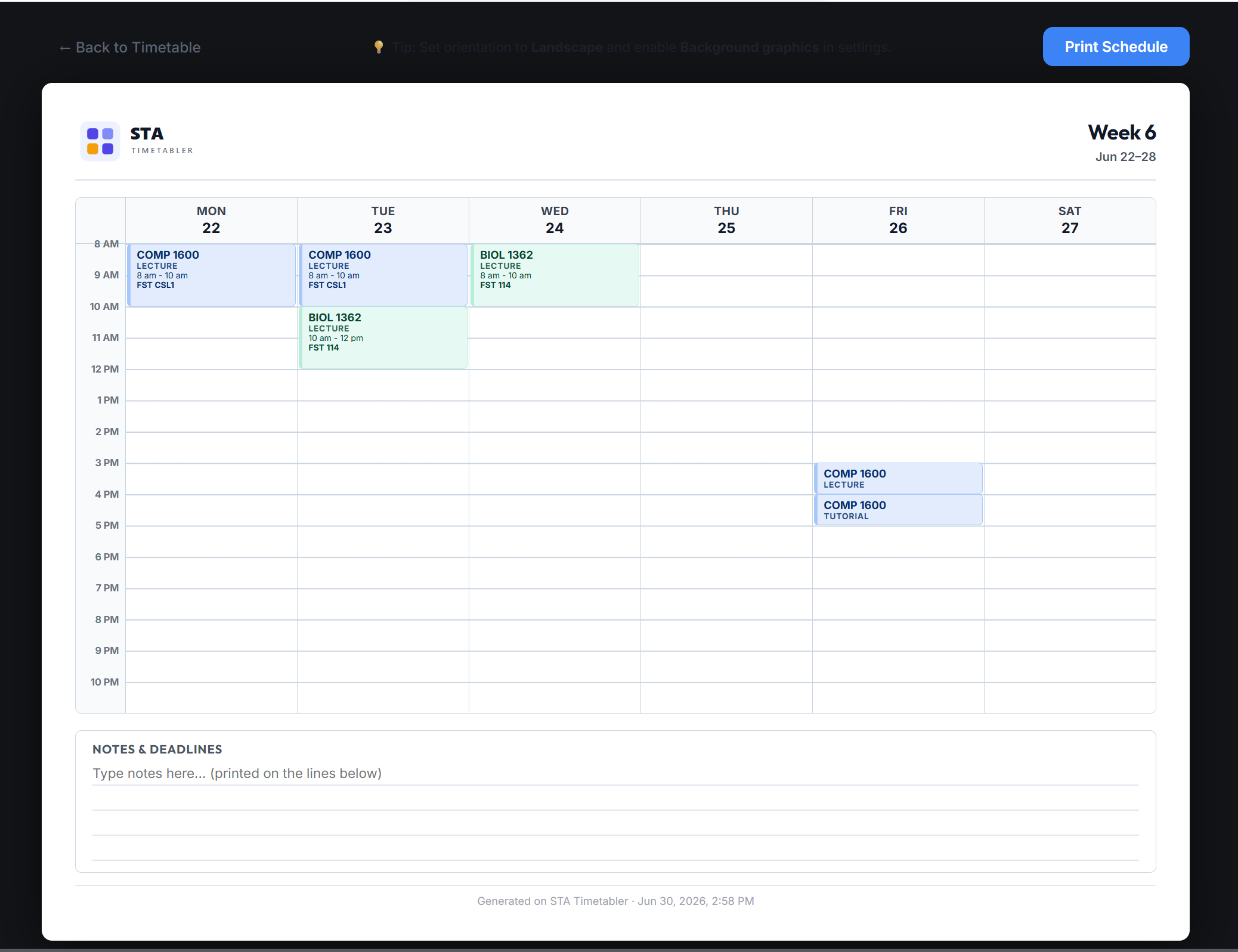
Export to Calendar

Download your full timetable as a .ics file, then open it in any calendar app.

Available on every platform

Install the PWA on any device — no app store, no download. It runs like a native app, including offline access.

Progressive Web App

Install on iPhone or iPad

No App Store required. Open the web app in Safari — three quick steps and it lives on your home screen with offline access.

1
Open in Safari
Visit app.statimetabler.com in Safari. Chrome won't work for this step.
2
Tap the Share icon
Hit the Share button in the Safari toolbar — the box with an arrow pointing up.
3
Tap 'Add to Home Screen'
Scroll down in the share sheet, tap Add to Home Screen, then tap Add.
Progressive Web App

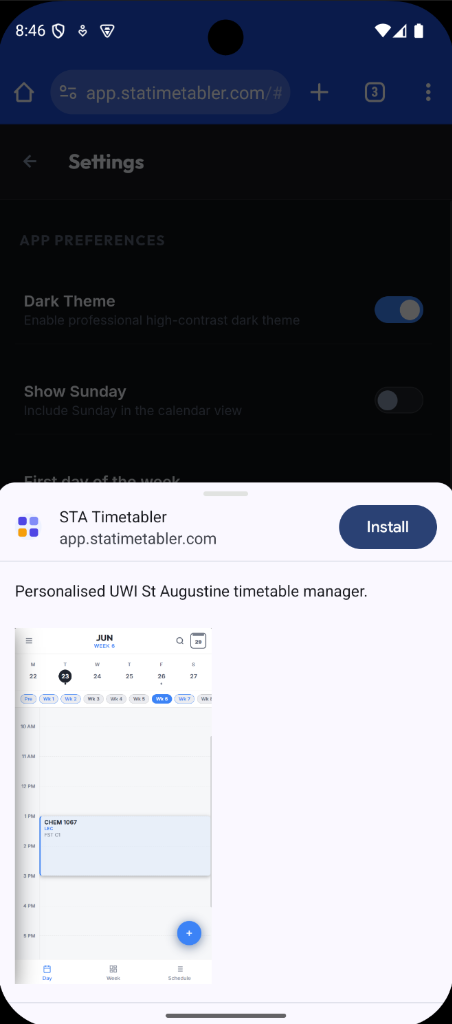
Install on Android

Works with Chrome or any Chromium-based browser. Add it to your home screen in seconds — no APK, no Play Store.

1
Open in Chrome
Visit app.statimetabler.com in Chrome on your Android device.
2
Tap the three-dot menu
Tap the ⋮ menu in the top-right corner of Chrome.
3
Tap 'Add to Home screen'
Select Add to Home screen and confirm. The app icon will appear on your home screen.
Progressive Web App

Install on Windows

Install directly from Edge or Chrome. It launches as a standalone window — no browser chrome, just the app.

1
Open in Edge or Chrome
Visit app.statimetabler.com in Microsoft Edge or Google Chrome.
2
Click the install prompt
Look for the install icon (⊕) in the address bar, or open the browser menu and select Install STA Timetabler.
3
Confirm installation
Click Install in the prompt. STA Timetabler will appear in your Start menu and taskbar like any desktop app.
Progressive Web App

Install on macOS

Use Safari or Chrome to install the PWA. It runs as a standalone window in your Dock, with full offline support.

1
Open in Safari
Visit app.statimetabler.com in Safari on your Mac.
2
Open the Share menu
Click the Share button in the Safari toolbar (the box with an upward arrow).
3
Add to Dock
Select Add to Dock from the share menu, then click Add. The app will appear in your Dock.
9:41
app.statimetabler.com

STA Timetabler

Web Application

Monday 08:00 AM LEC
BIOL 2165 - Genetics
FST 113
Monday 10:00 AM LEC
BIOL 1262 - Physiology
FST 113
Tuesday 08:00 AM TUT
BIOL 1364 - Cell Biology
FST 113
Add to Home Screen
STA Timetabler Icon
https://app.statimetabler.com

An icon will be added to your Home Screen so you can quickly access this website.

9:41
app.statimetabler.com
1

STA Timetabler

Web Application

Monday 08:00 AM LEC
BIOL 2165 - Genetics
FST 113
Monday 10:00 AM LEC
BIOL 1262 - Physiology
FST 113
Tuesday 08:00 AM TUT
BIOL 1364 - Cell Biology
FST 113
New tab
New incognito tab
Bookmarks
Recent tabs
History
Downloads
Translate...
Share...
Find in page
Desktop site
Settings
Help & feedback

Add to Home screen

STA Timetabler Icon
STA Timetabler app.statimetabler.com
STA Timetabler
app.statimetabler.com
STA Timetabler Logo

STA Timetabler

Progressive Web Application

app.statimetabler.com
STA Timetabler Logo

STA Timetabler

Progressive Web Application

Monday 08:00 AM · Lecture
BIOL 2165 - Genetics
FST 113
Monday 10:00 AM · Lecture
BIOL 1262 - Physiology
FST 113
FAQs

Common Questions

Quick answers to the things people ask most.

Still have questions?

If you need help or have suggestions, email us at support@statimetabler.com.

Contact Support
No. STA Timetabler is an unofficial, standalone companion app. While the official UWI St. Augustine timetable finder uses CELCAT to publish raw course schedules, our app helps you import those schedules, select course streams, identify overlapping classes, and export your personal calendar as an .ics file.
Open the web app at app.statimetabler.com in any modern browser. You can also install the app on Windows, macOS, Android, and iOS via the instructions in our Install section.
Yes — a free account is required to use the app. This lets your timetable sync across your desktop and mobile devices automatically. Your data stays private and is never shared or sold.
Yes — export your timetable as a .ics file and import it into Google Calendar, Apple Calendar, or Microsoft Outlook. Works with any calendar app that supports .ics.
Partly. You need internet to search the UWI portal and import your timetable for the first time. Once it's built, your timetable is saved locally — so you can view and browse your schedule offline on any device.